Why doesn’t the new iPod Touch have GPS?

September 2nd, 2010 mpwalsh8 No comments

Yesterday was the big Apple iPod announcement event for 2010.  There has been oodles of coverage of the event.  I was surprised that the iPad didn’t get an OS update and was pleased to see buttons back on the Shuffle.  The Nano is ok although I am not sure losing the slim rectangular shape and click wheel is a good idea, only time will tell.

The real interesting device was the iPod Touch.  I have a second generation 8GB iPod Touch which I bought off of Craig’s List before I committed to the iPhone.  I was unsure about only having a touch screen key board so a used iPod Touch let me test it out without committing to a two year contract for the iPhone which I eventually did.

I like the Touch and actually use mine quite a bit even though I have an iPhone.  I was looking forward to the new Touch, in particular for the rumored camera feature.  Having an HD video camera would be nice, the camera in my 3GS is so-so at best.

Today I was speaking with my co-worker Nick and we were talking about the Touch and my desire to have one, even though I don’t need it.  Nick mentioned that if it had GPS, the Touch would be perfect.  It got me thinking – why did Apple leave out the GPS?

If the Touch had GPS then it could:

  • Geo tag photos and video
  • Enable navigation with Google and/or Bing Maps (there is nothing worse than using my iPhone for GPS only yo have a call come in)
  • Possibly replace dedicated GPS hardware
  • All the location based services that Apps offer

I am sure there are other uses too but these came to mind.  Lack of GPS is really the only short coming that I could see.

I was hopeful that the rumors about the new Apple TV would be true and it would be a screen-less iPod Touch for the TV.  While the new Apple TV has some pretty cool features, I don’t see much differentiation over comting products from Roku, Western Digital, Boxee and others.  Each of these streaming devices seems to have one limitation or another.  I haven’t seen anything that says the new Apple TV supports UPnP which both my Xbox and WDTV Live do support.

I am disappointed in the Flickr support from the WDTV Live so was hopeful that the Apple TV would be more compelling than it is.  As it is, if I had to buy something right now, I think I’d get the Roku HD for $69.

Working with WordPress 3.0 multisite

September 2nd, 2010 mpwalsh8 No comments

I started playing with WordPress 3.0′s multsite functionality this week. I have a number of WordPress blogs for various things and they are a nuisance to keep updated. I had looked at WordPress-MU about 18 months ago when I did the CASL Ambassadors site and determined that it had more limitations than I was ready to deal with so I just went with a separate WordPress installs.

WordPress 3.0′s multisite functionality is pretty straight forward and it only took a little while to set it up.  I followed the instructions found in the this post on WpEngineer.com.  I wanted to use the subdomain setting but it appears the hosting plan I have with GoDaddy.com won’t allow it so for now, I am using subfolders.

Now that I have things up and running I need to start moving my sites.  The first one I moved is for Photos.  I want to share photos with my family and host them on Flickr but I have never liked the lack of presentation that Flickr has.

I found an interesting theme called AutoFocus which tiles posts across the front page of the blog.  I am slowly going back in time to create a post for each of the sets I have stored in Flickr.  I had to create a work-around for the post image to appear on the front page.

AutoFocus uses the first image attached to a post as the image display on the blog front page.  My posts don’t have one, at least I don’t want them them.  I want the post to contain the oEmbed Flickr gallery and the thumbnails using the Flickr Gallery plugin.

What I ended up doing to get it to work was to add an image via URL from Flickr and then add the tag attribute  style=”display: none” to the IMG tag.  Works like a champ!

Home networking woes

August 24th, 2010 mpwalsh8 No comments

Sunday afternoon my home network went down.  The way it went down I assumed it was simply a hiccup in the service from our ISP.  After waiting a while I went to check on it and it was still down.  Obviously not a glitch.  Ugh.  I don’t have time for this!

I spent some time with it late Sunday night and determined the router had gone bad.  Odd?   Yes.  Unprecedented?  No.  I had a Linksys WRT54G go bad a few years ago.  What is odd is that the whole thing wasn’t dead, just one interface, albeit and important one, didn’t work.  When this happened a couple years ago I ended using the WRT54G as an extra access point (can’t have too many right?) and it has worked just fine in that capacity.

The WRT110 I replaced it with was behaving similarly.  I figured I’d pick up a replacement in the AM at Wal-Mart.  Unfortunately Wal-Mart didn’t have what I was looking for so I then went to Staples.  At Staples I was going to buy a Linksys E2000 Wireless-N router but it was $129 which seemed high to me.  I checked Best Buy on my iPhone and they had it on sale for $79 this week so I figured I could wait a while and ordered it over the web.

I should have stopped there.  But I didn’t.  When I got home I started thinking and for some reason, decided it couldn’t be the router.  One interface just doesn’t go bad and the rest of it work fine.  In my case, the router would not get an IP address via DHCP from the Cable Modem.  Everything else worked as it should.

I decided to pull the router out of the loop and connect my laptop directly to the Cable Modem.  A simple ipconfig /release followed by an ipconfig /renew didn’t work.  But a reboot did.  After rebooting my laptop I was on the Internet.  That helps me but not the rest of the house.  Back to the router.  I reset, I updated firmware, I tried a number of things.  None worked.  I called Earthlink (who at one point told me I wasn’t a home networking customer and would have to pay an additional $18 per month – uh, no, I don’t think so) and called Linksys.  Neither had any ideas.  I hindsight, think I got off track because the woman from Linksys I was speaking with assured me the router was working properly based on the information on the status page and the lights on the box.

I dug up the old router and tried it (I had forgotten why I replaced it) and it too didn’t work (as it shouldn’t have).  I was trying to take care of this while I was working and had to stop messing with it to attend a couple conference calls.  I had to go a meeting and left the house to deal with it later.

Later in the day I still hadn’t made it to Best Buy to pick up the router I purchased but happened to be passing by CompUSA.  I ended up buying a Linksys WRT160N for $35.  Seemed like a pretty low risk solution.  Took it home and plugged it in, change a couple settings, and ta-da, the Internet was working again!  There was much rejoicing from the rest of the family.

It really is amazing how dependent my family has become on the Internet, myself included.  Going without it or having limited access for 24 hours was a challenge.  Can’t imagine what we’ll do if the power goes out for a few days!  It’s been a while since we’ve had a hurricane or an ice storm to knock out the power, we must be due.

Categories: Tech Stuff, Technology Tags: ,

WordPress 3.0 upgrade not so clean

July 1st, 2010 mpwalsh8 No comments

I updated WordPress to 3.0 the other day and surprisingly, had quite a few problems.  In particular, the LifeStream plugin doesn’t seem to be very happy.  The update process for WordPress itself failed once but succeeded when I ran it again.  I had to actually delete LifeStream and re-add it and even then, it wasn’t quite happy.  The updater never returned but WordPress seems to be operating ok.  This is the first time in 4+ years of using WordPress that I’ve run into anything like this.  Hopefully it will not be a big issue as I have a number of sites I need to update.

Categories: WordPress Tags: ,

wp-SwimTeam v0.2.488 – bug for scratches

June 16th, 2010 mpwalsh8 Comments off

There was a bug in the scratch process where if you started on the Meets tab when the Scratch action was selected, there was not a list of swimmers presented for the user to scratch.  When starting on the Roster page and selecting a swimmer to scratch did work properly.  The bug has been fixed and v0.2.488 is now available for download and both paths, starting with a meet or starting with a swimmer, now work correctly.  The same bug would have affected Opt-In meets as well.

wp-SwimTeam v0.2.486 now available

June 12th, 2010 mpwalsh8 Comments off

A couple of new features have been added to wp-SwimTeam.

  1. It is now possible to export a single swimmer’s record to CSV of SDIF.  When a single swimmer is selected, the exported file will contain the information for just that swimmer.  When no swimmers are selected, the entire roster will be exported.  Single swimmer SDIF export is useful for importing late additions into WinSwim which is something I’ve had to do a few times this week.
  2. The LSC Registration Pyramid (SDIF) can now be generated using the Age Group Age (computed base on cut off date) instead of the swimmer’s true age.  By default the real age is exported which is what wp-SwimTeam has done traditionally.  If you want to use the computed Age Group Age, change the setting on the SDIF Profile tab from the Options menu.

A new version, v0.2.486, of wp-SwimTeam is available for download from the Download page.

wp-SwimTeam v0.2.484 available

June 10th, 2010 mpwalsh8 Comments off

A new version of wp-SwimTeam has been posted.  This releases fixes a couple minor bugs which prevented display of swim meet information in certain situations when scratching or registering from a swim meet.  This version also introduces two new features:

  1. Open or Close the registration system. When the registration system is open, users can register their swimmers for the current season.  When the registration system is closed, only an Admin or Editor can register swimmers.  This setting appears on the Registration tab from the Options sub-menu.
  2. Enable or disable user sign ups for jobs. When the job system is set for user sign ups, a user can sign up for any open job.  When the job system is set for admin sign up, users with either Admin or Editor roles can sign users up for jobs.  This second mode is good for teams where a paper or Excel list is used for job sign ups.  This setting appears on the Swim Team tab from the Options sub-menu.

Exploring Roles and Capabilities

June 10th, 2010 mpwalsh8 Comments off

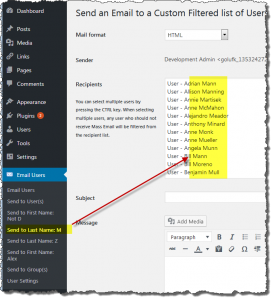
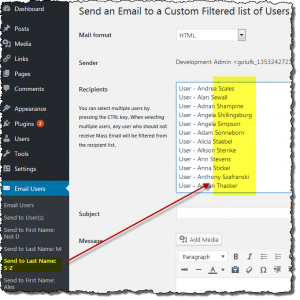
I’ve had a request from my team, the MacDolphins, to be able to send e-mail to the parents of specific age groups.  We do a number of activities that are limited to older kids or only for a specific age group so I’ve been aware of this need for a while.  Unfortunately I don’t have an easy way to solve it.

I think the WordPress Roles and Capabilities functionality may be the answer to my problem.  I could create a role for each age group and assign the users that have a swimmer in that age group to the appropriate roles.  By doing this, I think I can continue to use the Email Users plugin to contact specific groups of users based on the roles defined.

I need to do more research on Roles and Capabilities.  I’ve played with a couple plugins and they aren’t real straight forward.

wp-SwimTeam v0.2.482 released!

June 1st, 2010 mpwalsh8 Comments off

This afternoon I uploaded v0.2.482 of wp-SwimTeam.  This release introduces the new Jobs module (aka Volunteers).  Please back up your database before upgrading as this version changes the structure of one of the tables and introduces two others.

Please let me know if you have any problems with this version.  I’ve done a fair amount of testing and I have it up and running on the MacDolphins web site.

The jobs module introduces two new short codes:

  • wpst_job_descriptions
  • wpst_meet_job_assignments

Example usage of these two new short codes can be found on the wp-SwimTeam demo site here and here.

There is also a new release of the phpHtmlLib plugin which wp-SwimTeam requires available.  This build addresses a minor issue exposed in WordPress 3.0 beta testing.

Hopefully the new Jobs module will be helpful for your team, I know it will be helpful for mine!

Jobs up and running on the Demo Site

May 30th, 2010 mpwalsh8 Comments off

I have update the wp-SwimTeam demo site with a preliminary version which includes the new jobs module.  I expect I will release it over the weekend at some point.   You can see what a sample page or post would look like for a swim meet.  From the Administrative perspective, a similar report is available but includes more details (e.g. phone numbers).

I had a chance to show this to the woman who coordinates volunteers for the MacDolphins and she was pretty excited about it.  It should make her job much easier and it will also make it much easier for parents to know when they have signed up to volunteer.

I want to do a little more testing on it before I release it but I am pretty confident it is working pretty well.