jQuery

Hiding bullets on a Google Form

10

Because the multiple choice fields on a Google Form are rendered as an unordered list (with a UL tag), by default, the form will appear like this:


Add this CSS to either the theme or via the wpGForm custom CSS settings:

div.ss-form-entry>ul {
    list-style-type: none;
}

After adding the above CSS it will appear like this:

Hopefully this will help you make your Google Forms look the way you want within WordPress!


How to have a Meta Box appear before the Visual Editor

0

I am working on a new theme where I have defined a Custom Post Type.  This is my first time working with Custom Post Types and I must say they are pretty slick.  I wish they had existed back when I first started working on my Swim Team plugin!  I have far too much invested in my Swim Team plugin so I’ll stick with the custom database tables but for this new project, CPTs are working great.

Once I got my CPT defined and basically working, I wanted to add some custom fields to it using a Meta Box.  There are numerous articles that outline how to do it, I referenced this one quite a bit and found it very helpful.  In my instance, the Meta Box that holds all of the custom fields I want to collect is more important that the Visual Editor is so I wanted it to appear higher on the screen.

After poking through the Codex and number of Google searches, it appears that doing what I want to do isn’t native WordPress functionality.  I did however find this post which outlines an idea for moving the Meta Box so it appears on top of the Visual Editor.  Awesome.  Exactly what I was looking for. Except the code fragment didn’t work.  After looking at it, I decided the idea was sound but the implementation wasn’t correct or at least wasn’t correct in my application.

I tweaked the Javascript to make sure the document was ready before rearranging the Meta Box and Visual Editor and got the result I was looking for.  Here is the code I am using in my functions.php file.

/**
 * Set up a footer hook to rearrange the post editing screen
 * for the 'CPT' custom post type.  The meta box which has all
 * of the custom fields in it will appear before the Visual Editor.
 * This is accomplished using a simple jQuery script once the
 * document is loaded.
 */
function CPT_admin_footer_hook()
{
    global $post ;

    if (get_post_type($post) == 'CPT')
    {
?>
<script type="text/javascript">
    jQuery(document).ready(function($) {
        $('#normal-sortables').insertBefore('#postdivrich') ;
    }) ;
</script>

<?php
    }
}

/**  Hook into the Admin Footer */
add_action('admin_footer','CPT_admin_footer_hook');

Hiding a Google Form’s Title

0

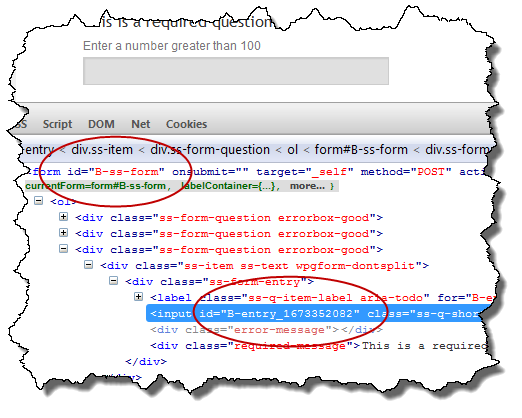
Since a WordPress page or post will have a title, there is a good chance the Google Form’s title is redundant.  If hiding the title from the Google Form is desired, the easiest way to do it is with CSS.  The title on a Google Form is an H1 element  which is assigned the class ss-form-title.  To hide the title, we add the following CSS to either the theme’s CSS or to the CSS overrides available with the WordPress Google Form plugin’s setting menu.

h1.ss-form-title {
    display: none;
}

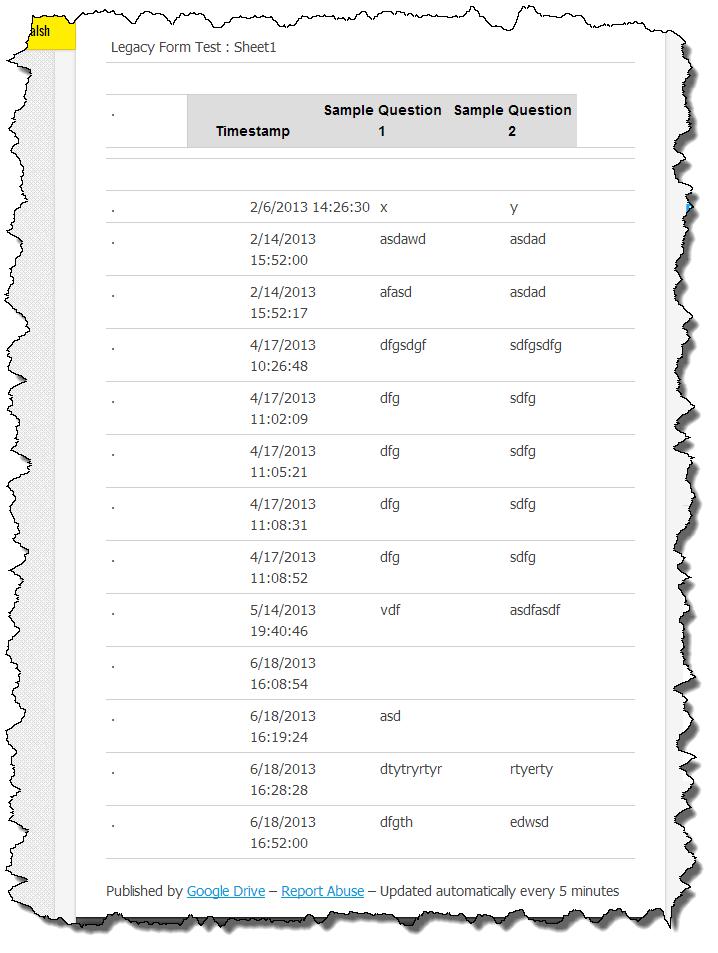
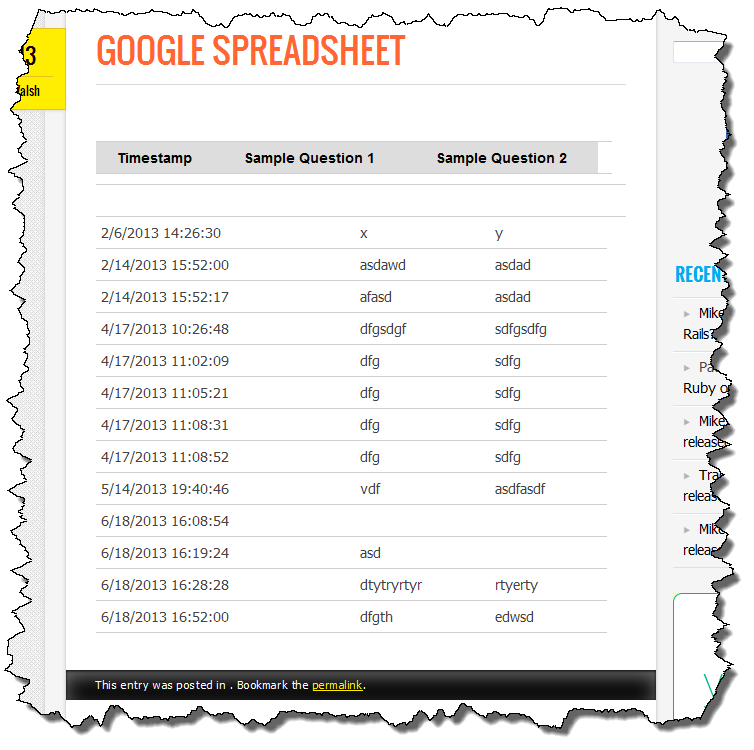
Using my Sample Form, here are the results of adding this CSS to the plugin settings.

Form before adding CSS

Adding CSS to wpGForm settings


Form After Adding CSS

WordPress Google Forms include quite a few CSS classes so using this technique, the appearance of the form can be customized quite a bit.

Support for multi-page Google Forms?

5

I received an email the other day about my WordPress Google Form plugin wondering whether or not it should work with multi-page Google Forms  It hadn’t even occurred to me to test it as none of the forms I had needed myself were multi-page forms but my gut reaction was I didn’t think it would work.

I took a look at a multi-page Google Form and have determined that the current (v0.10) version of the WordPress Google Form plugin (aka wpGForm) will not work with multi-page forms.  No real big surprise but I want it to be clear before someone else wastes their time trying to make it work.

From looking at the form code it may be possible to support multi-page forms in the future but it will require some additional jQuery scripting and more importantly, some time to dedicate to it.  I hope to look at this soon but I have a couple of WordPress theme projects that I need to get off my plate before I can go back to wpGForm.

WordPress Google Form beta update

0

This morning I fixed a bug which occurred when the default CSS was not enabled (which it isn’t by default).  When the default CSS was not enabled, the jQuery Validation plugin wasn’t loading and then the jQuery script that initialized the validation would fail.

If you downloaded the beta prior to 10:00 EDT on 10/7, you should download it again and re-install.

WordPress Google Form (108)

Form Validation Working!

8

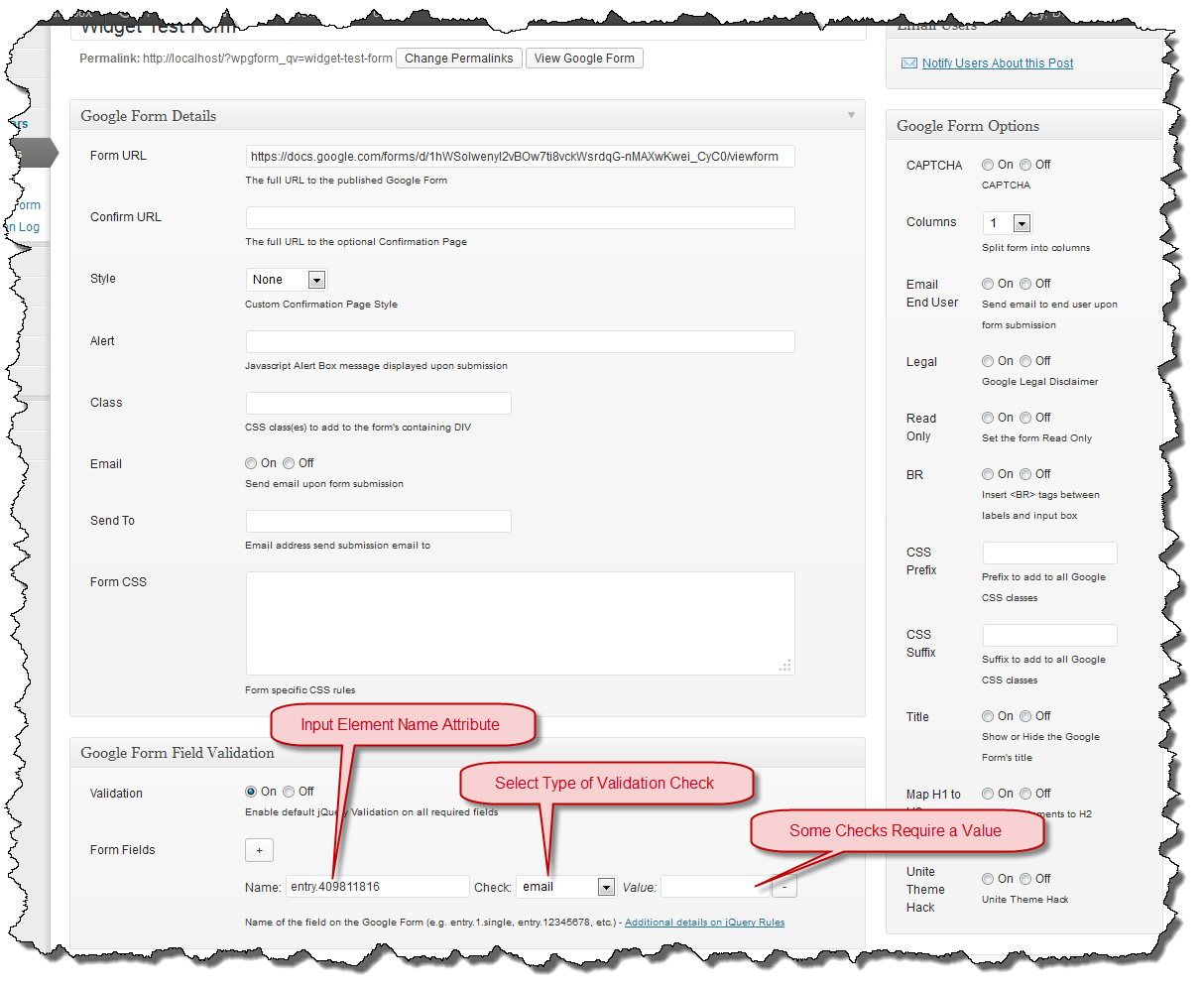
I have required field form validation working.  I haven’t released it yet but in my testing, it appears to catch all of the fields I defined as required.  WordPress Google Form incorporates the jQuery Validation plugin.

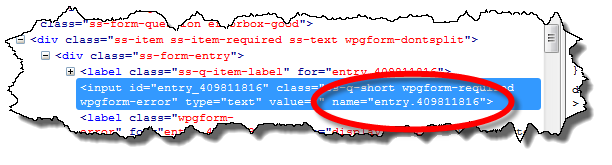
When a page loads, the jQuery script runs and scans the Google form for required fields.  For each required field it finds it adds the gform-required class to the input or textarea tag.  When the validator runs, it looks for fields which have the gform-required class and if any are empty, a label is added with the gform-error class.

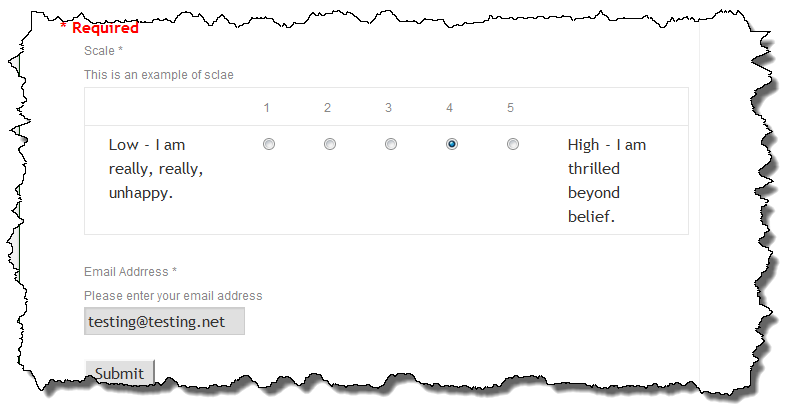
The gform-error class is defined in the default CSS to display the text in red and float it to the right of the input.

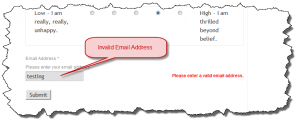
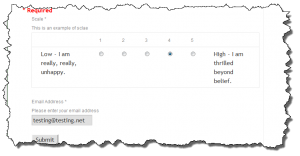
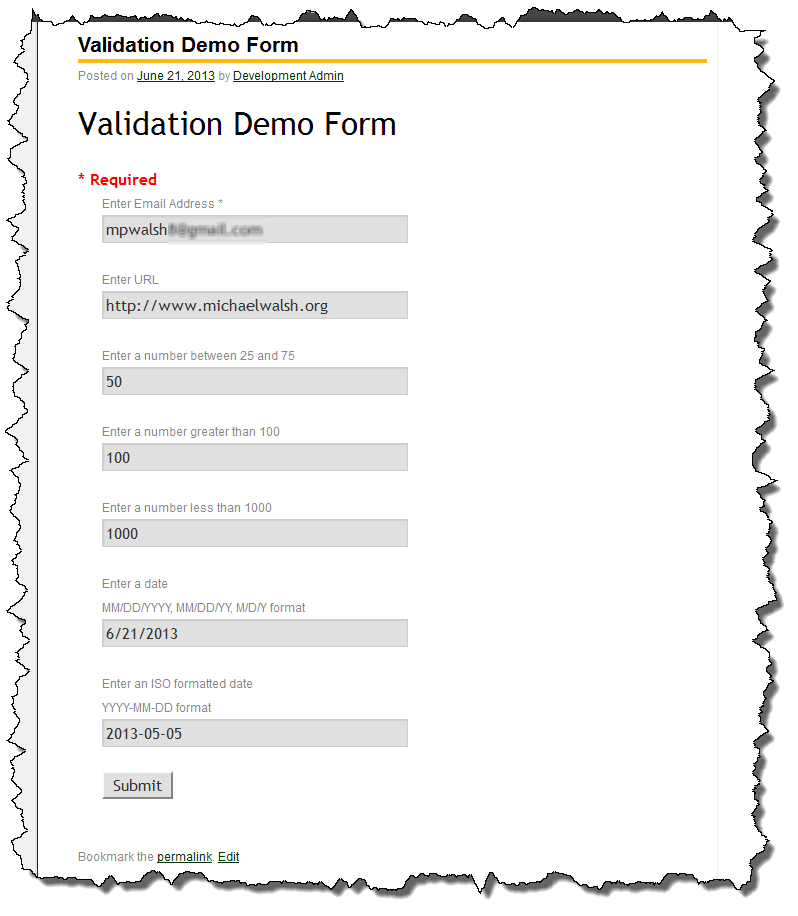
As can be seen in the image, if there isn’t enough room to the right of the field, the error will be shown just below it.  As with most CSS solutions, there are a bazillion ways to customize the output, I have elected to use something real basic and let the plugin user add more CSS if desired.

If you would like to try this early release of the plugin and give me some feedback, you can download it here.  The version in the WordPress repository is still the older v0.9 release.

WordPress Google Form (108)


GForm validation bug PoC

0

This afternoon I spent some playing with a jQuery Form Validation plugin to determine if it will help me resolve the issue with required fields.  The initial results look fairly promising as I was able to tag a couple fields on a test form and they were flagged when I submitted it.

In the image above, the jQuery Validation plugin added the “Thus field is required” when I submitted the form with those fields empty.   This is exactly the behavior I want, the challenge now is to scale my Proof of Concept (PoC) to work in the generic case of the plugin.  The Google form defines a block for each input field and the class the denotes a field as required is assigned to one of the DIV blocks that wraps the label and form element (e.g. INPUT or TEXTAREA tag) as opposed to the form element tag itself.  This makes finding the required elements a little tricky.

The real challenge I think will be input groups (e.g. radio buttons and check boxes).  I need to do some jQuery research before I have a solution but assuming I can figure out which elements to select, I believe this will solve the problem with required fields.

WordPress Google Form bug with required fields

0

Google forms allow fields to be designated as required.  When running the form using the standard Google URL, the form will be validated and presented back to the user if any of the required fields are not entered.  There is an issue (aka bug) with required fields in the current version of the plugin.

If a user submits a form that is embedded in WordPress using the plugin, because there are missing fields the form processing does not complete.  There is no indication for the user that something is wrong, the form is simply presented again without any of the fields having data in them.

To resolve this I am looking at doing form validation on the client side using a jQuery plugin.  Hopefully I will have this resolved fairly quickly as I need this to work correctly for my own project.  My testing didn’t take into account a user not completely the form correctly.  Oops.  This bug affects all versions of WordPress Google Form up to and including v0.9.

Stay tuned.

Calendar-Plus renamed to Enhanced Calendar

0

I just received the approval from the WordPress plugin repository for Enhanced-Calendar.  The WordPress plugin I previously called Calendar-Plus will now be known as Enhanced-Calendar.  Once I get the code all checked in and the proper structure, it should be available from the plugin repository.  Hopefully that will happen in a day or two.

Need to rename Calendar-Plus

1

When I first created Calendar-Plus I had hoped it was a short lived project that would either get rolled into the Calendar plugin or deprecated by a new release. Unfortunately neither has happened and it continues to live on. Because I didn’t expect it to last long, I never put it into the WordPress plugin repository.  I probably should have done that.

There is now a plugin in the repository called Calendar-Plus which results in a name conflict and the automatic upgrade system thinks mine is out of date.  I should have put my code in the repository but I didn’t so I can’t think of a good way to resolve this other than to change the name and put the code into the repository.

So that is what I plan to do. But I am not sure what to call it.

  1. Calendar-Enhanced?
  2. Enhanced-Calendar?
  3. Calendar-MW?
  4. Calendar-Plus-Plus?

I am leaning toward #2 as it is close to the description I used when I wrote it.

Go to Top